If you have a desk or workspace cluttered with cables and chargers, you’re not alone. With multiple devices requiring power and connectivity, cables can quickly become a tangled mess. Fortunately, organizing cables and chargers neatly is easier than you think and can make your space look cleaner, improve safety, and even extend the life of your electronics.
In this post, we’ll explore practical tips and solutions to help you keep your cables and chargers under control.
Why Organizing Cables Matters
Before diving into how to organize, it’s worth understanding the benefits:
– Reduces clutter and stress: An organized space helps you focus and feel calm.
– Prevents damage: Tangled cables are more prone to fraying and breakage.
– Improves safety: Avoid tripping hazards and potential fire risks.
– Saves time: Easily find the cable or charger you need without untangling knots.
Assess Your Cables and Chargers
Start by taking stock of all your cables and chargers:
– Sort by type: Separate phone chargers, laptop cables, HDMI cords, USB cables, etc.
– Discard unused cables: If you haven’t used a cable in 6 months and don’t foresee needing it, recycle it responsibly.
– Label important cables: Use tags or stickers to identify cables quickly.
5 Simple Ways to Organize Cables Neatly
1. Use Cable Ties and Velcro Straps
Cable ties, Velcro straps, or twist ties are inexpensive solutions to bundle individual cables.
– Wrap each cable neatly into a coil about 6–8 inches in diameter.
– Secure with a Velcro strap or reusable tie to prevent unwinding.
– Avoid tight wrapping that could damage the cable’s internal wires.
2. Employ Cable Management Boxes
Cable management boxes hide and contain tangled power strips and cables:
– Place power strips inside a cable box.
– Feed the cables through holes or slots designed for organization.
– This keeps your floor or desk area looking tidy and helps protect cables from dust.
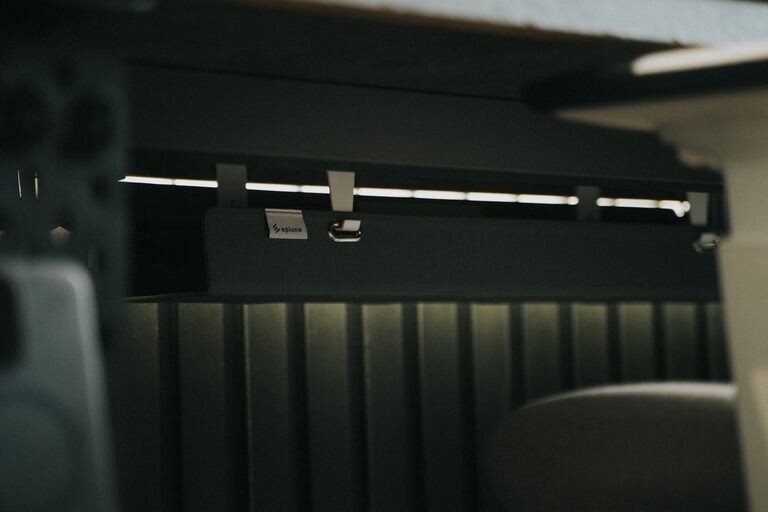
3. Use Cable Clips and Holders
Cable clips stick to your desk, wall, or other surfaces to keep cables in place:
– Position clips along the edge of your desk to hold charging cables.
– Keep frequently used cables accessible without tangling or dropping.
– These clips typically use adhesive backing and are easy to relocate.
4. Create a Charging Station
Designate a specific area for charging all your devices:
– Use a multi-port USB charger to reduce the number of individual adapters.
– Route cables neatly through holes or channels on your desk.
– Place small containers or trays nearby to hold phones and tablets while charging.
5. Label Your Cables
Labeling helps identify cables quickly, especially in a bundle:
– Use pre-made cable labels or create your own with masking tape and a marker.
– Label both ends if cables are long or stored in boxes.
– Color-coded labels can also make identification faster.
Additional Tips for Keeping Cables Organized Long-Term
Regular Maintenance
– Schedule a quick cable check every few weeks.
– Detangle and rewind cables as needed to avoid knots.
– Remove cables you no longer use.
Avoid Excess Length
If your cables are longer than needed, shorten them with cable ties or use shorter cables for better fit.
Use Cable Sleeves or Tubes
Cable sleeves bundle multiple cables together in one neat tube for a clean appearance on desks or behind entertainment centers.
Store Spare Cables Properly
– Use small zippered pouches or boxes labeled by cable type.
– Roll cables loosely and secure with ties.
– Keep storage areas dry and dust-free.
DIY Cable Organizer Ideas
If you enjoy crafts, you can create your own cable organizers:
– Toilet paper roll holders: Decorate empty rolls to store rolled cables individually.
– Binder clips: Attach binder clips to your desk edge to hold cables ready for use.
– Magnetic strips: Stick magnetic strips to your wall and attach small magnets to cables for easy access.
Conclusion
Organizing cables and chargers neatly doesn’t require expensive gadgets or complicated setups. By sorting, bundling, labeling, and designating proper storage, you can keep your cables tidy and accessible. Whether you’re working from home, managing your entertainment setup, or just want a clutter-free space, these tips will help you take control of cable chaos.
Try a few methods that fit your space and lifestyle, and enjoy the calm that comes with an organized, cable-free mess!